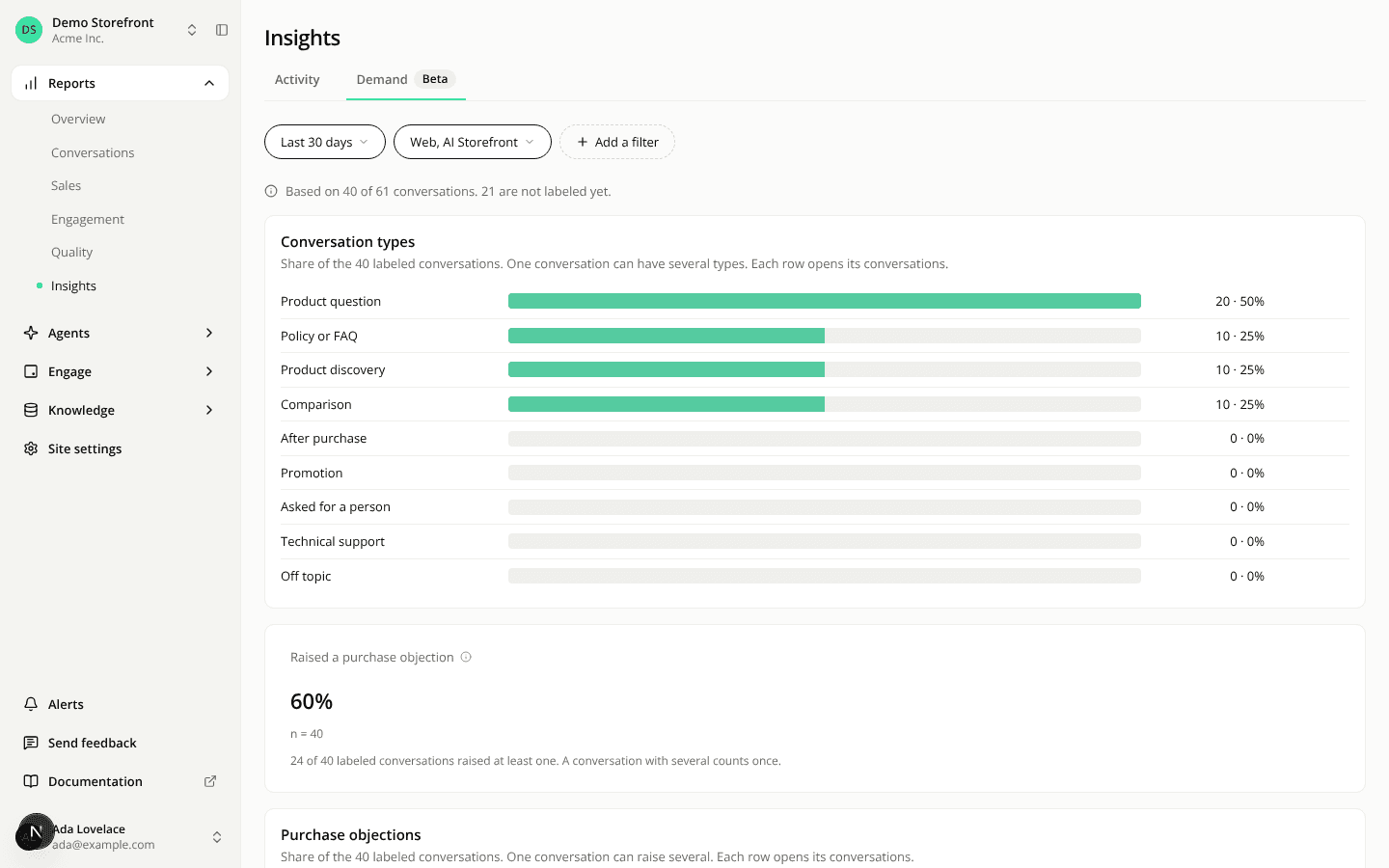
Insights gets a Demand tab
AddedReports > Insights now has two tabs under one title: Activity, the page you already know, and Demand, new and marked Beta.
Demand reads the labels the AI judge writes on your conversations:
- Conversation types: the nine types (policy or FAQ, product question, product discovery, comparison, after purchase, promotion, asked for a person, technical support, off topic), ranked by how many labeled conversations hold them.
- Raised a purchase objection: the share of labeled conversations where the shopper raised at least one objection.
- Purchase objections: the nine objections (price, size or fit, suitability, delivery, returns, stock, authenticity, compatibility, competitor), ranked the same way.
Each row shows a count and its share of the labeled conversations. With Compare to previous period on, it also shows the change in points. Each row opens the matching conversations.
The Conversations list has two new Beta filters behind Add a filter, Type and Objection. Within one filter a conversation matches any checked value. Across filters it has to match all of them.
Things to know before you read a number:
- Only labeled conversations are counted. A recent one can still be waiting for its label.
- Under 30 labeled conversations, Demand shows no percentage.
- A conversation can hold several types and raise several objections, so shares add up to more than 100%.
- Demand has no Customer feedback filter. A selection made on Activity is kept there and not applied on Demand.
- The page shows counts and shares only. It says nothing about sales.
Resources