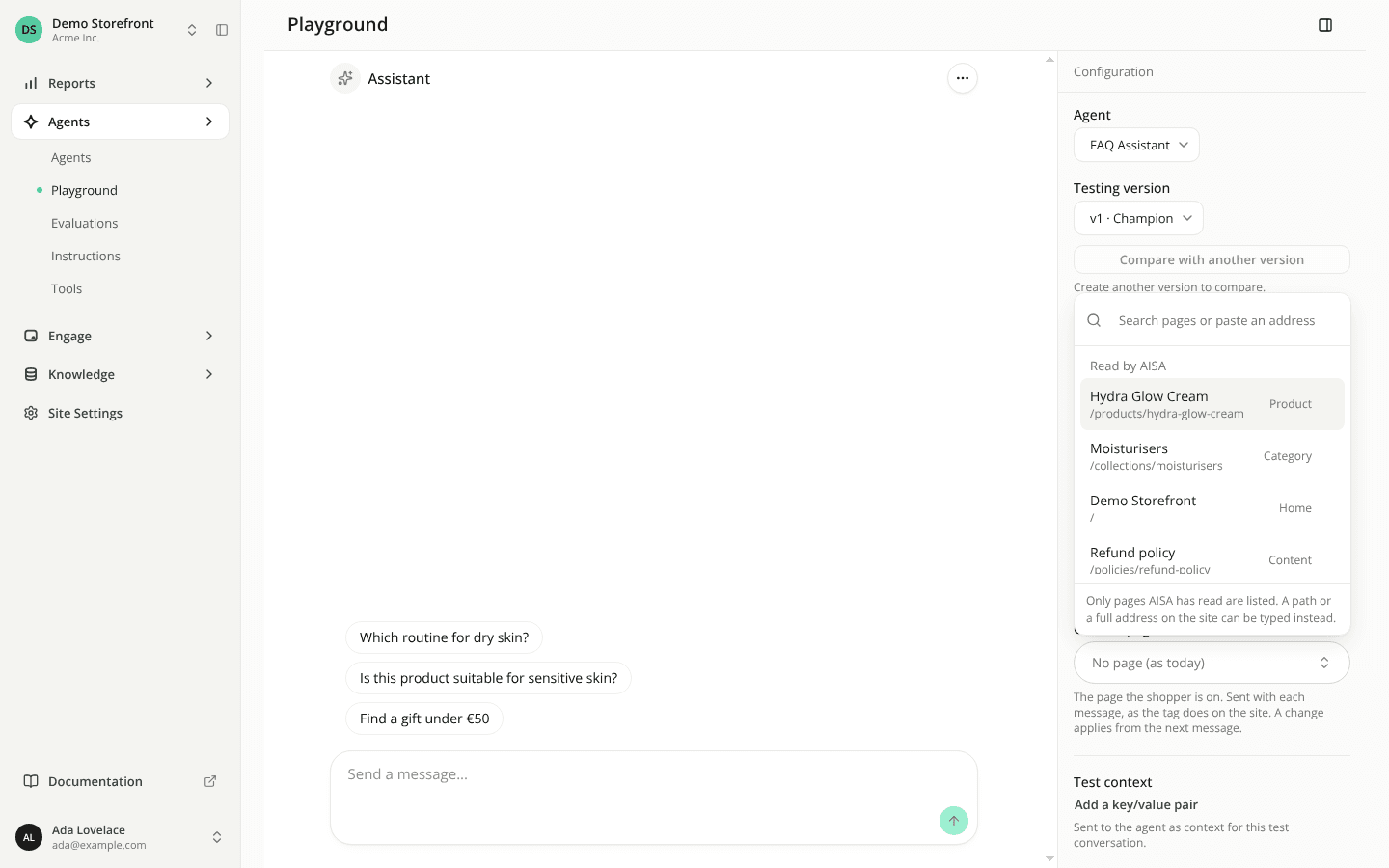
Test the assistant on a given page in the Playground
AddedThe assistant on your storefront knows which page the shopper is on. The Playground did not, so you could not test an answer that depends on the page, such as "what is in this product?" when the assistant reads the page.
A Current page field in the Playground
The configuration panel has a new Current page field, between Test language and Test context. It sends the same page signal the web tag sends.
- Pick a page from the list of pages AISA has read, or type a path starting with
/or a full address on your site. An address that is not on the site is refused, with the reason. - The field shows the page's title and path and a Read or Not read badge. Only the address and the stored title are sent, never the description.
- The list and the badge need access to Pages. Without it you can still type a path.
- It is empty by default, and a reload clears it. It is disabled when the site's page signal is off, with a link to Public access.
- A change applies from the next message. Earlier messages keep their page, so you can test a journey across product pages in one conversation. In compare mode both versions get the same page.
In the Technical view, each message is captioned Asked from with its page. To check the page reached the assistant, ask about it: the page_content tool call shows currentPage in its input.
Fixed on the web: the last question kept its page
When the assistant asks the shopper a question and the shopper answers it, the last question used to lose the page it was asked from for that turn. The assistant no longer saw that page: when it was the only page in the conversation it could not read it, and otherwise it read an earlier page instead. The page stored with the question was also overwritten. The last question now keeps its page.
Resources