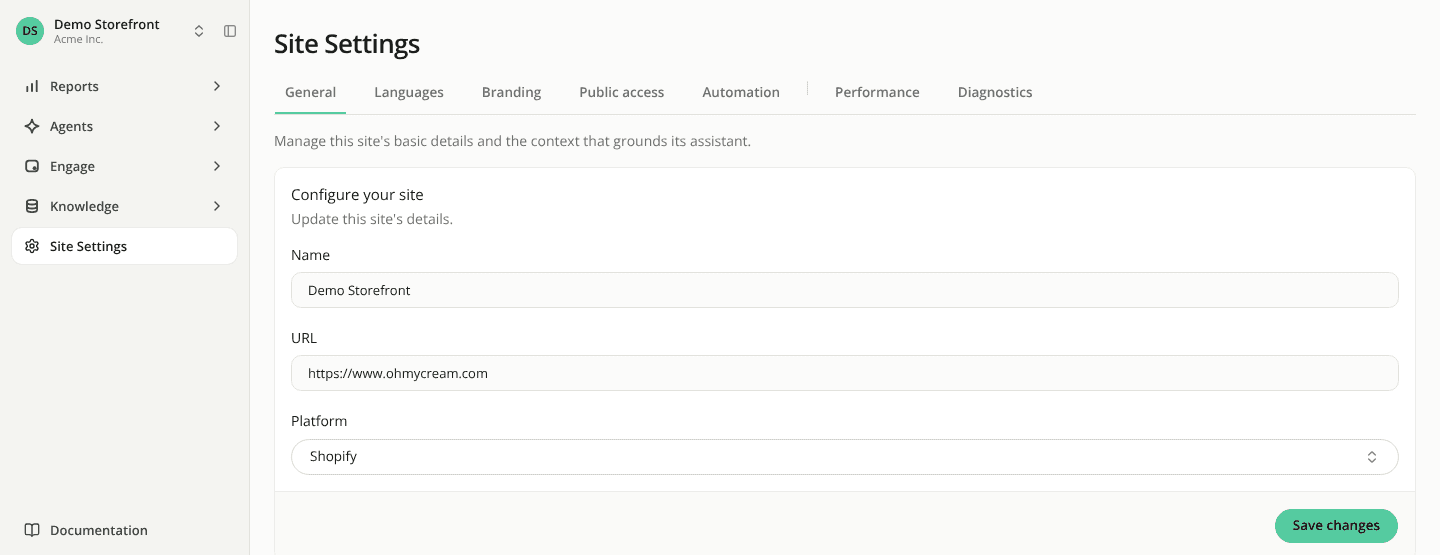
Site settings now open as one page with tabs
ChangedBefore, Site Settings unfolded in the sidebar into seven entries, one per settings page.
Now the sidebar has one Site Settings entry. It opens General, and a row of tabs at the top of the page takes you to Languages, Branding, Public access and Automation, then, after a separator, Performance and Diagnostics. The sidebar entry stays highlighted whichever tab you are on, and on a narrow window the tabs that don't fit move into a More menu.
What each page contains has not changed, and neither have the addresses: a bookmark or a link to a settings page still lands on the same page.
See Site settings.